Forward a newsletter to noctua and it prepares an edition and adds it to your podcast feed. There’s nothing to install.
Send one
Forward the email to
carrier-pigeon@noctua.uno, from the address you signed up to noctua with. Emails from any other address are rejected, so nobody else can spend your credits.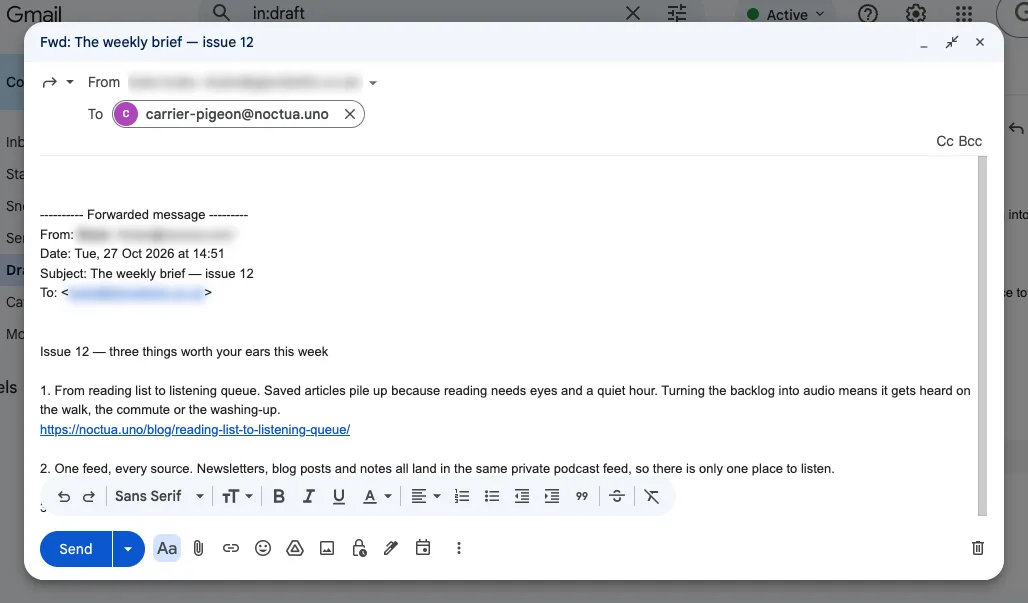
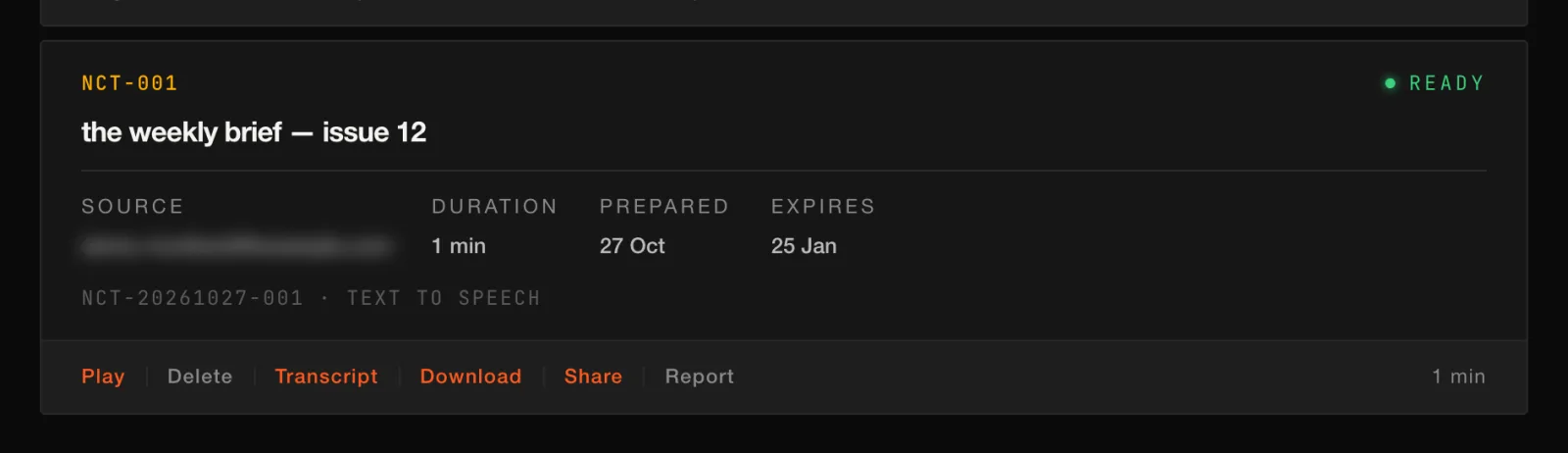
Listen. The edition appears on your dashboard and in your feed a few minutes later.
Forward automatically
Most email clients can forward by rule. Filter a newsletter by its sender and forward it to carrier-pigeon@noctua.uno, and every issue becomes an edition on its own.
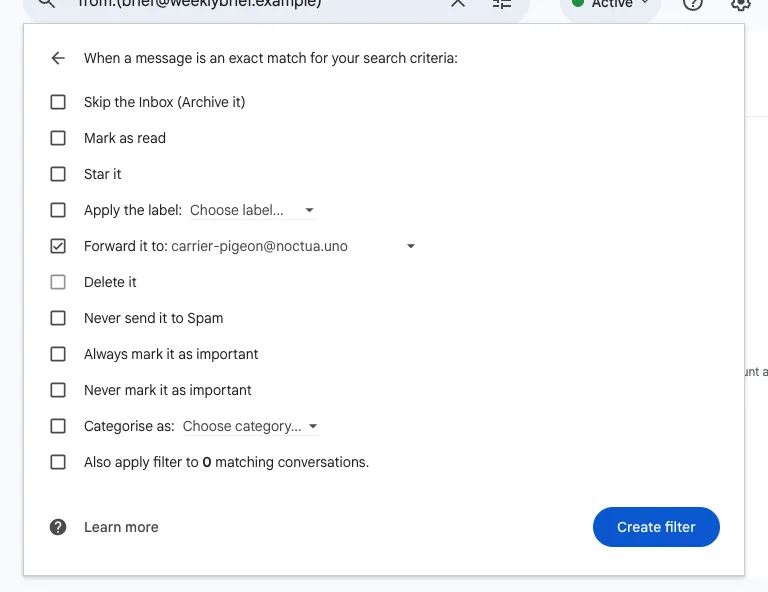
Gmail: Settings → See all settings → Filters and Blocked Addresses → Create a new filter. Set From to the sender, then choose Forward it to and pick
carrier-pigeon@noctua.uno. Gmail asks you to confirm a forwarding address the first time.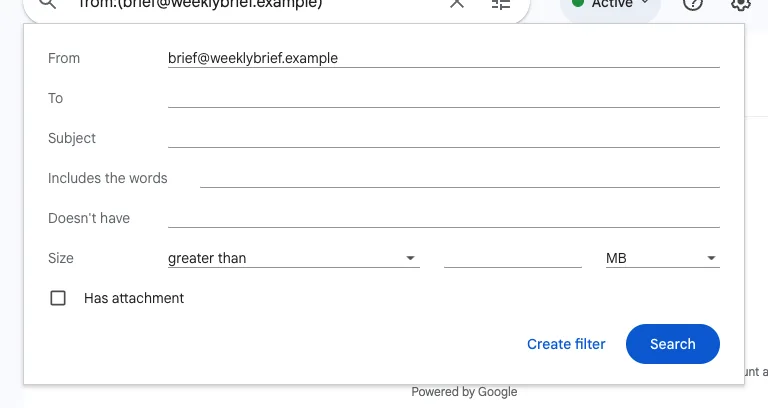
Apple Mail: Mail → Settings → Rules → Add Rule. Add a condition on the sender, then Forward Message to
carrier-pigeon@noctua.uno.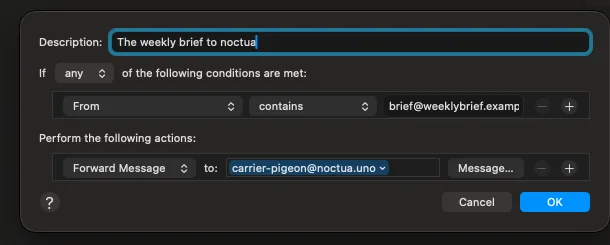
Good to know
- One credit per email. A failed conversion refunds its credit automatically.
- Prose reads best. Essays, analysis and long-form newsletters suit audio; issues that are mostly links or code are better read at a desk.